












BUYING GUIDE
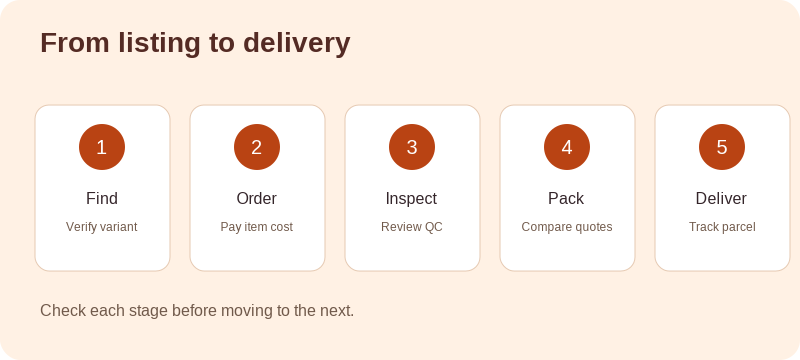
From listing to delivery
Understand the two payments and the decisions you need to make at each stage.
DISCOVER / COMPARE / SHOP
Discover products, organize your shopping list, compare measurements and review warehouse QC before arranging international delivery.
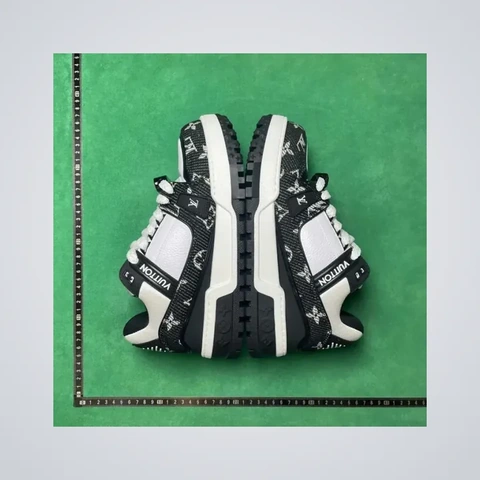
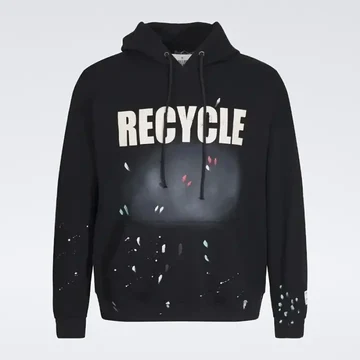
Looking for everyday sneakers, a warm hoodie, lightweight T-shirts or accessories? Start with the type of product you actually need. Shoes benefit from a clear insole measurement; clothing benefits from comparable flat measurements; bags and accessories require dimensions and a check of included parts. Use the catalog to find the right starting point, rather than assuming a category label guarantees a particular fit or price.
FROM DISCOVERY TO A DECISION
A Joyagoo spreadsheet is a product-discovery resource that organizes shopping links and product information so buyers can find potential purchases without starting every search from scratch. JoyagooSpreadsheet on this site connects category browsing in the W2C catalog with a personal shopping plan. The catalog is a starting point; the marketplace listing and the actual agent order remain the records to check before paying.
Think of a spreadsheet entry as a candidate, not a completed order. A saved link may still open while its price, available variation or delivery charge has changed. A useful personal record keeps the original URL, selected option, quoted price and unanswered questions together. Haul Studio lets you record these details alongside estimated weight, a measurement pair and QC notes. It does not automatically import or update your Joyagoo account.
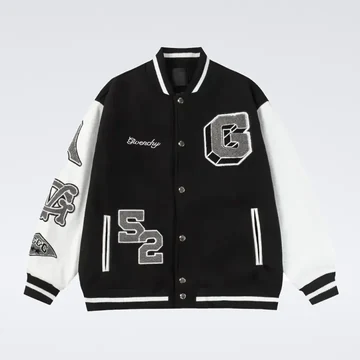
The best Joyagoo spreadsheet for a particular purchase is one that helps you move from a broad search to a verifiable decision. For example, finding a jacket is only the first task: the intended size, reference measurement and affordable delivered cost determine whether it belongs on your shortlist.
Explore the spreadsheet guide → · Check a product link →
The process works by moving information between three records: the product listing, your personal shopping plan and your Joyagoo order. Each has a different purpose. The listing describes what the seller offers; the plan records what you intend to buy; the order and warehouse evidence show what has actually been purchased and received.
| Record | What to carry forward | When to revise it |
|---|---|---|
| Product listing | Original link, selected variation and current price | When the seller changes the offer |
| Personal plan | Item cost, estimated weight, reference measurement and QC question | When a new measurement or quote becomes available |
| Agent order | Confirmed option, warehouse photos and actual parcel information | When the agent or carrier updates the order |
Consider an illustrative jacket priced at $32. Allow $4 for domestic delivery and $18 for its estimated share of international freight. The preliminary cost is $54 before other applicable charges. If a later parcel quote raises its allocated freight to $24, the comparable subtotal becomes $60. A $56 spending limit would now be exceeded by $4. These are illustrative planning figures, not observed product prices or an official shipping quote.
Before paying, check the current listing and purchasing conditions. After the item reaches the warehouse, compare its QC evidence with the plan and resolve any discrepancy while return or exchange options remain available. Obtain a current official shipping estimate using the packed parcel information, then revise the budget rather than treating the original estimate as fixed. The agent handles purchase and delivery arrangements; this site provides discovery links and planning tools.
Official process references: Shopping guidance ↗ · Purchasing fees ↗ · Shipping estimator ↗
THE SHOPPING STUDIO
Give every item a name, record its price and estimated weight, and set a total shopping budget. Enter the international freight quote and additional charges separately. The workspace calculates the planned spend and allocates shared charges by item weight, a useful comparison convention rather than a carrier invoice. Save the plan on your device or export a CSV for your own records. Do not enter account credentials or payment details in the workspace.
THE BUYER'S EDIT
A product listing can tell you what is advertised, but warehouse measurements can reveal whether the selected item matches your expectations. Our buying guide explains the two payment stages. The clothing and footwear guides explain how to compare evidence from the listing, your reference item and your own warehouse photos. The links guide helps you recover a shortlist when a product page changes.
BUYING GUIDE
Understand the two payments and the decisions you need to make at each stage.
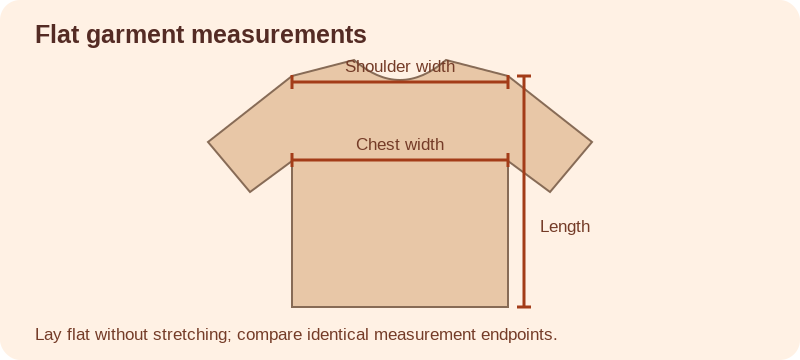
FIT & QC
Compare the same measurement points and request better evidence when a tape is unclear.
PARCEL INTELLIGENCE
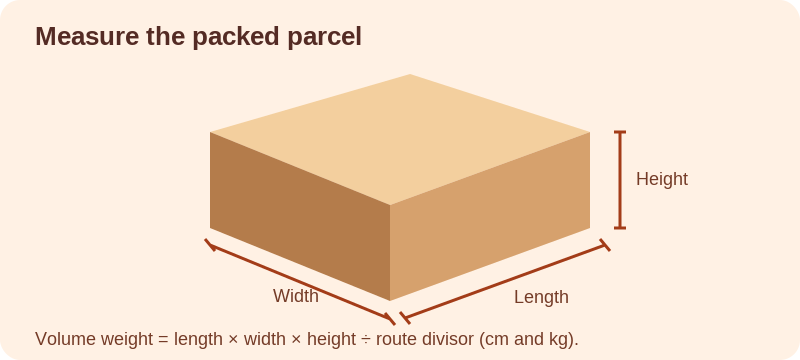
The price of a product is only one component of the cost of receiving it. Record domestic delivery, international freight, optional services and any separately payable taxes. Compare eligible parcel options under the same assumptions. A smaller box can change a volumetric calculation even when the contents weigh the same, but removing protective packaging is not always a worthwhile trade-off.
Review each item while it remains available for inspection. If a measurement or a visible defect is unclear, prepare a specific photo request. Keep the earliest storage deadline in mind when combining items. Once the parcel is shipped, follow the tracking record rather than using the time since your first product payment as a transit estimate.
METHODS & EXAMPLES
Our research separates platform documentation, community self-reports and worked examples. Compare packed dimensions under the same route assumptions, then verify a current quote. See the evidence methodology for how observations are recorded and checked.
Read our evidence method →Download the quote reconciliation worksheet · Download the news impact worksheet
ILLUSTRATIVE VOLUME EXAMPLE
40 × 30 × 25 cm5 kg at a divisor of 6,000; 6 kg at a divisor of 5,000. Check the actual route divisor and rounding rule.
Explore the calculation →AGENT COMPARISON LAB
Compare purchasing categories, warehouse deadlines and inspection evidence before choosing a service. Published rules and worked examples are kept separate from live quotations.
Explore Agent Comparison Lab →SERVICE ANALYSIS
Evaluate purchasing, warehouse inspection, return conditions and insurance before committing your budget. Our documentary review distinguishes published rules from individual customer reports and illustrative calculations.
Read the full Joyagoo review →Before your next haul, check changes that could affect costs or account actions. Our news desk distinguishes official import rules, app release records and individual shopping reports from our own decision methods.
IMPORT COSTS · JULY 2026
Separate freight, customs categories and other charges before comparing a budget.
APP RELEASE RECORDS
Distinguish a software fix from a completed transaction.
COMMUNITY EVIDENCE
Use reports as questions to investigate, not guarantees.
No. The plan is a local shopping record. Place and manage orders in the official shopping service.
Not necessarily. Include any domestic delivery, international shipping and other applicable charges.
Yes. Enter your own estimates, then replace them with actual figures as they become available.
No. Compare matching measurement points with a reference item you already own.
Open the W2CSpreadsheet catalog to browse the current product categories.
Open Spreadsheet ↗